Records Managed SharePoint
What is SharePoint?
SharePoint is a web based, collaborative platform that is part of the Microsoft 365 suite. It has full integration with Microsoft applications (both online and desktop versions).
Note: There are two categories of SharePoint at the University, Records Managed SharePoint and non-managed SharePoint. Support for non-managed SharePoint sites is provided by the Collaboration Applications team in Business Services. To request assistance with non-managed sites, please submit a Microsoft 365 application request in ServiceNow. Also see KBA Microsoft 365 - SharePoint Overview for further information.
What is Records Managed SharePoint (RMSP)?
RMSP is a customised version of SharePoint that has been developed by the University to support records management compliance. The Records & Information (R&I) team at the University are responsible for the implementation and support of all RMSP sites.
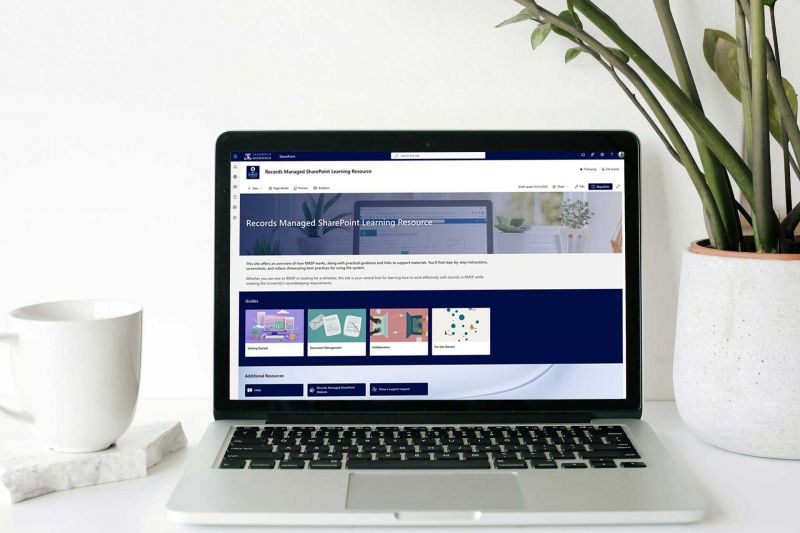
RMSP Learning Resource
Find practical guidance about using the system, including step-by-step instructions
What are the benefits and limitations of RMSP?
| Benefits | Limitations |
|---|---|
|
|
Important: Staff using non-managed SharePoint sites are responsible for creating and maintaining their own sites and manually managing records retention and disposal to comply with the University’s Records Management Policy. Existing non-managed sites cannot be converted into RMSP sites. See our Retention and disposal page for further information.
What are the key elements?
-
A site is a website used to store your everyday working documents and productivity apps, eg, Meeting library, Team calendar, Contacts list etc. A SharePoint site is Microsoft's evolution of the standard shared drive.
-
Libraries are used to store your everyday work documents eg, Finance library, Meeting library etc. Libraries are an evolution of folders in a shared drive.
-
Metadata or properties is "data that provides information about other data" eg, document Creator, Date, Purpose, Status etc. Metadata is used instead of sub folders within RMSP libraries to facilitate document search, sorting, access and organisation.
What is metadata and how is it used in RMSP? (3 min video)
Note: The creation of sub folders is not permitted in RMSP as this breaks the integration with Content Manager. Instead, customisable metadata is applied to group and sort documents within each library.
-
RMSP has 4 main access groups used to manage site membership.
Owner
Edit (can upload and edit documents and edit library metadata and views).
Member
Contribute (can upload and edit documents).
Executive
Contribute (can upload and edit documents).
This group does not need to consist of Executives of the area using the RMSP site. It is another membership group, that may be used to provide alternative access to 'secure' libraries.
Visitor
Read (read only).
This group can also be reconfigured to Contribute access, as needed.
See SharePoint resource What are the four core membership groups and how do they relate to site roles? for further information.
Who can use RMSP?
RMSP is available to Faculty and Chancellery work units and staff wanting to compliantly manage records in a SharePoint environment.
It is recommended for:
- Creating and managing high value records (eg, long-term temporary — 10 or more years retention period, or permanent value records)
- Documents in predominantly MS Office and PDF formats.
Refer to the University Records Retention and Disposal Authority to determine if your records are long-term temporary or permanent value.
Important: Only staff with an @unimelb.edu.au email address can access RMSP. Some students and external stakeholders might be able to use the system, when appropriate and approved by the HR Assist team.
What are the differences between RMSP and non-managed sites?
RMSP
The key feature of RMSP is that it is integrated with Content Manager. This integration supports records management functionality and compliance. Records will automatically migrate from RMSP to Content Manager for their required retention period (the default migration timeframe is after 5 years of inactivity). Then R&I will manage the records retention and disposal for you.
RMSP is supported by R&I. We can build sites on request and assist staff with designing, managing and configuring sites.
Non-managed SharePoint
The R&I team do not support non-managed SharePoint sites. Support for non-managed SharePoint is provided by the Collaboration Applications team in Business Services. To request assistance with non-managed SharePoint, submit a Microsoft 365 application request in ServiceNow.
Staff using non-managed SharePoint sites are responsible for creating and maintaining their own sites and manually managing records retention and disposal to comply with the University’s Records Management Policy.
See KBA Microsoft 365 - SharePoint Overview for further information about RMSP and non-managed SharePoint.
| Site type | Automated retention & disposal | Folders in libraries | External collaborators or students | Staff can create libraries | Homepage completely customisable | 'Modern' look and feel | Power BI integration | Version history | Training |
|---|---|---|---|---|---|---|---|---|---|
| Records Managed | Yes | No* | No^ | No | No | No# | No | Yes | Yes |
| non-Records Managed | No | Yes | Yes | Yes | Yes | Yes | Yes | Yes | No |
* RMSP site libraries have a flat structure and leverage metadata to group and categorise information, use of folders is not permitted.
^ The current workaround is for non-University staff site members to obtain an @unimelb.edu.au email address via HR Assist.
# We are looking to deploy the SharePoint ‘Modern’ experience to RMSP sites in the future. Currently, RMSP sites have the basic ‘Classic’ look and feel.
Are there training and resources available?
Yes, we offer regular RMSP training to University staff. See our Training page for information.
University staff can visit our Records Managed SharePoint Learning Hub, to see example RMSP sites and a range of learning and support resources.
We also have a RMSP Learning Resource site available with practical guidance about using the system, including step-by-step instructions.
How do I request a RMSP site?
Due to Microsoft service deprecations, the ability to create new RMSP sites is on hold. We thank you for your patience while we work on modernising the RMSP service and get site creation back up and running.
Further information
For further information about RMSP, please submit a ServiceNow request.
Related content
-
SharePoint overview
Knowledge base article about SharePoint and how it's used at the University
-
RMSP Learning Hub
See example RMSP sites and access a range of learning and support resources
-
RMSP Learning Resource
Find practical guidance about using RMSP, including step-by-step instructions